DotCraft Digital Canvas
Reviews
DotCraft Digital Canvas stands out for its simplicity and focus on the essentials. The color palette is broad enough for vibrant designs, and the fill tool speeds up large areas. Sharing via codes works flawlessly and encourages community interaction. Beginners will appreciate the intuitive controls, while experienced artists can produce detailed work with the zoom and undo features. It is a solid choice for anyone wanting to explore digital art without complex software.
About This Game
Core Creative Workflow
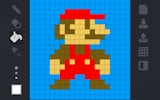
DotCraft Digital Canvas centers on placing colored squares onto a grid to form larger pictures. Users begin by picking a hue from the available palette, then select a brush size that matches their needs. Clicking on the grid adds color, while right-clicking or using the eraser removes it. The process is deliberate and precise, encouraging careful planning for each design.
Essential Tool Set
The platform includes several helpers to speed up the work. A color picker lets users sample any existing shade on the canvas, ensuring consistency across the piece. A fill tool covers enclosed areas with a single click, which is useful for backgrounds or large sections. The grid lines provide visual guides for alignment, making it easier to create symmetrical or structured patterns.
Sharing and Collaboration
Once a design is complete, the tool generates a short alphanumeric code. This code can be sent to friends or posted online. Anyone who enters the same code into the platform can view the artwork and, if allowed, make edits in their own session. This system promotes a community of creators who can build upon each other's ideas without needing accounts or downloads.
Getting Started Quickly
No registration or installation is required. The tool loads directly in a web browser and presents a blank canvas immediately. Beginners can start with simple shapes like hearts or stars, while more experienced users can attempt detailed portraits or scenes. The low barrier to entry makes it accessible to children, hobbyists, and professionals alike.
Visual Feedback and Precision
Each square placed on the grid provides instant visual feedback, allowing users to see their image develop step by step. The zoom function helps with fine details, and the ability to undo recent actions reduces frustration. These features support both spontaneous doodling and methodical projects.
Comments
0 comments