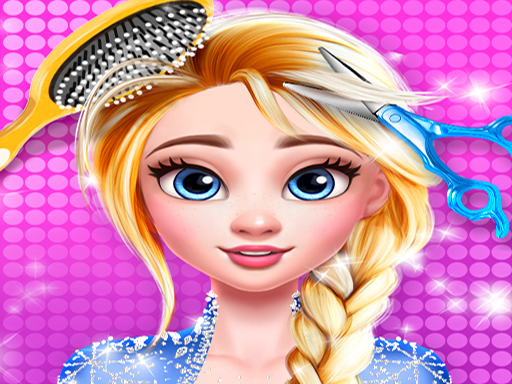
Style Studio Makeover Game
Step into a virtual beauty salon where you can wash, color, and style hair, then complete the look with makeup. No time limits, just creative fun.
Reviews
A relaxing beauty game with no pressure. Great for creative expression and trying new styles.
About this game
Game Introduction
Style Studio Makeover Game offers a calm and creative space for players who enjoy fashion and beauty. In this casual simulation, you take on the role of a stylist, helping a model achieve a complete transformation through hair care and makeup application. The experience focuses on artistic expression rather than competition, so every choice you make is valid. There are no penalties for trying unusual combinations, making it a safe environment for experimentation. This game is designed for players of all ages who want to relax while exploring different looks. You can access it directly through a web browser without needing to install anything, which makes it simple to start playing anytime. The core idea is to enjoy the process of creating a unique style, step by step, at your own comfortable pace.
How to Play
Players begin by choosing a model to work with. The game then guides you through a sequence of beauty tasks. First, you wash the model's hair using virtual shampoo and water, then dry it with a hairdryer. After that, you can use styling tools to straighten or curl the hair, and select from a variety of colors to dye it. Once the hair is complete, you move to the makeup station. There, you apply foundation, blush, eyeshadow, and lipstick using simple clicks or taps. Each step includes clear instructions, so even beginners can follow along easily. There is no timer, so you can take as much time as you like to perfect each look.
Game Features
This game includes a range of hair styling tools such as washing, drying, straightening, and coloring options. A full makeup station provides items like foundation, blush, eyeshadow, and lipstick. Step-by-step guides help new players learn the process smoothly. The game has no scoring system or time limits, which encourages relaxed and creative play. It is designed with family-friendly content suitable for all age groups. Being free to play online without downloads adds to its convenience. The variety of color choices and styling options allows players to create many different looks, encouraging repeated play.
Tips for Success
Take your time with each step to explore different color combinations. Since there is no pressure, you can try multiple styles and see what you like best. Following the suggested order of washing and drying before styling can help achieve neat results. Feel free to mix bold colors or experiment with unusual makeup shades; the game rewards creativity. If you feel unsure, the on-screen guides provide helpful hints. Save or capture your favorite finished looks to compare them later or share with friends.