Classic Chess Strategy Online
Classic Chess Strategy Online brings the timeless board game to your browser. Choose your opponent, adjust the difficulty, and enjoy a clean, distraction-free match anytime.
Reviews
A clean, flexible chess game with adjustable difficulty. Perfect for quick matches or practice.
About this game
Game Introduction
Classic Chess Strategy Online is a browser-based version of the traditional strategy board game. It is designed for players of all ages and skill levels, from beginners learning the rules to experienced players refining their tactics. The game offers a simple and clean interface that allows you to focus on your moves without distractions. You can choose to play against a computer opponent with adjustable difficulty or challenge a second player for a friendly match. The computer moves its pieces automatically, making the gameplay smooth and efficient. This game works seamlessly on various devices, including PCs, mobile phones, and tablets, so you can play whenever you have a free moment. The core objective is to outmaneuver your opponent and achieve checkmate, a goal that requires strategic thinking and planning. What makes this game unique is its flexibility: you can customize your experience by selecting your piece color and the difficulty level that suits your current mood or skill. Whether you are looking to practice specific strategies or simply enjoy a leisurely game, Classic Chess Strategy Online provides a reliable and enjoyable platform.
How to Play
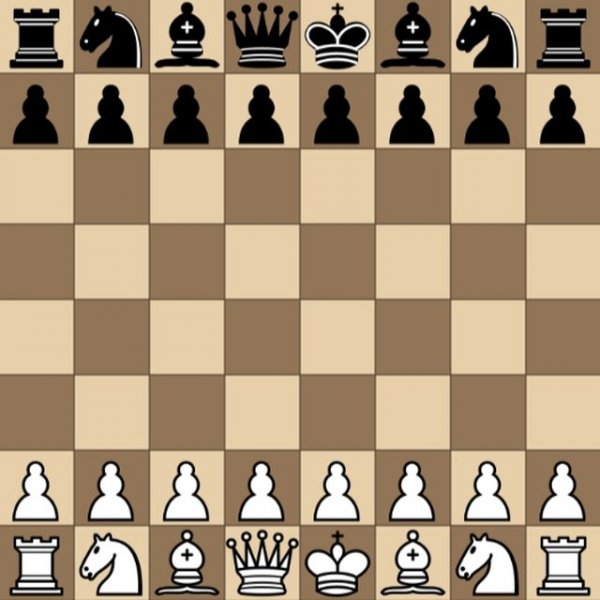
To start a game, you first decide whether to play against the computer or with another person. If you choose the computer, you can select a difficulty level that matches your experience. You also have the option to pick the color of your pieces. The game begins with a standard chessboard setup. The computer moves its pieces automatically, so you only need to focus on your own turns. To move a piece, you click on it with your mouse, then click on the destination square. The goal is to capture your opponent's king by placing it under an inescapable threat, known as checkmate. Players typically think several moves ahead, considering possible responses from the opponent. The game ends when one player achieves checkmate or when a draw is declared. The interface is designed to be intuitive, making it easy for new players to learn the controls while still offering depth for experienced strategists.
Game Features
Classic Chess Strategy Online includes several features that enhance the playing experience. You can choose to play against a computer opponent with adjustable difficulty, allowing you to gradually increase the challenge as you improve. Alternatively, you can play with a second player for a more social experience. The game also lets you select the color of your pieces according to your preference. A full screen mode is available for a more immersive view. The game works on all major web browsers and devices, including PCs, mobile phones, and tablets, ensuring you can play wherever you are. The interface is simple and clean, with automatic computer moves that keep the game flowing smoothly. These features are designed to provide a distraction-free environment where you can concentrate on your strategy.
Tips for Success
To improve your chess skills, practice regularly and learn common opening moves. Focus on controlling the center of the board and developing your pieces early in the game. Always think a few moves ahead and consider what your opponent might do next. Review your past games to identify mistakes and learn from them. Playing against opponents who are slightly stronger than you can help you grow faster. Consistency and patience are key to becoming a better player.